



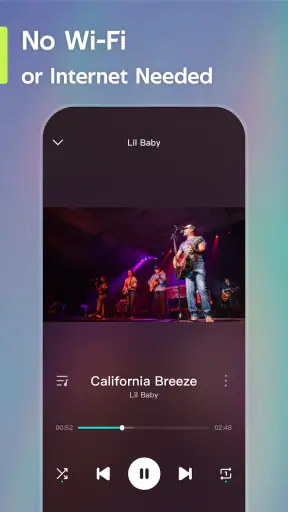
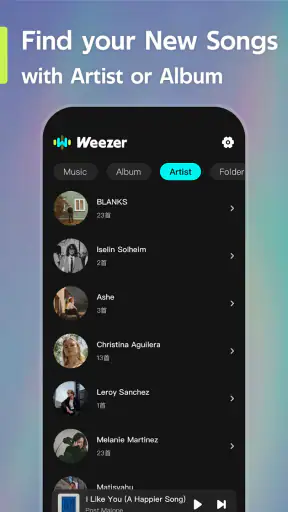
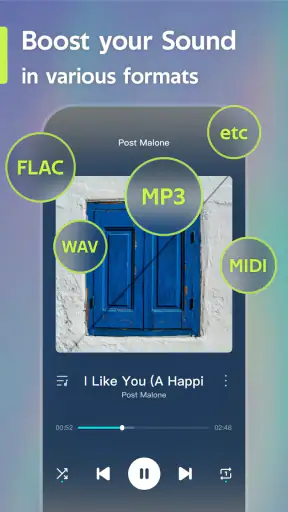
I approached Weezer-Audio Bliss as a simple entertainment app for listening rather than as a full music-management tool. Its focus is clear from the first impression: it is built around a Weezer-themed audio experience, and that narrow identity is both its appeal and its biggest limitation. If you want something centered on the band’s sound and atmosphere, it can feel pleasantly direct. If you are looking for the broad discovery, playlists, and library controls of a mainstream streaming service, you may find it too specialized.
The app is free, carries an Everyone age rating, and comes from wazer music. It has reached over five million installs, with an average rating of 4.2 from around eleven thousand ratings. Those figures suggest that the concept has found a substantial audience, but they do not change the more important question: does its design make listening comfortable for different people and in different situations? My experience is that the answer is mixed. The basic idea is approachable, while the practical details depend heavily on how you listen, how much control you need, and whether you rely on strong visual or motor support.
How the listening experience is organized
Readability and navigation at a glance
The strongest part of the experience is its straightforward purpose. I did not have to approach it like a complicated audio workstation or a large catalog with endless menus. The Weezer-centered presentation gives the app a recognizable starting point, which can reduce the mental effort involved in deciding what to explore. For a listener who already knows the band, that focus is useful: the app feels less like a general-purpose service and more like a dedicated place to settle into a particular musical world.
That simplicity also helps people who become tired or distracted by crowded interfaces. A general streaming app can place recommendations, podcasts, videos, charts, downloads, social features, and account prompts beside the music itself. A more focused app has the potential to keep attention on the main task. In everyday use, I found that valuable when I wanted to listen without turning the process into a session of browsing and organizing.
However, a focused theme should not be confused with fully accessible navigation. The app’s identity is easy to understand, but ease of understanding is only one part of usability. A person with low vision may still need to judge text size, contrast, button spacing, and the clarity of selected states before deciding whether it works comfortably. I would not assume that a clean-looking audio screen automatically provides enough visual support for every user.
The current version is 1.1.2, and the app runs on Android 8.0 or later. That makes it relevant to people who keep an older Android phone rather than upgrading frequently. It is worth remembering, though, that compatibility with an older operating system does not guarantee the same experience on every screen size, display setting, or manufacturer interface. I would test the controls on the actual phone you plan to use, especially if you depend on enlarged system text or display magnification.
Why the narrow theme can be a real advantage
One of the less obvious strengths is reduced choice overload. When I open a broad music platform, I often spend more time comparing albums, artists, mixes, and recommendations than listening. A Weezer-specific environment can work better for someone who wants a familiar emotional setting, a personal soundtrack for routine tasks, or a quick way to return to a favorite style without navigating a huge catalog.
This may also suit households where one person wants a simple, recognizable audio option. An older listener who already enjoys Weezer may find the dedicated presentation less intimidating than a general service filled with unfamiliar categories. Likewise, someone who is learning to use a smartphone could benefit from an app whose purpose is easy to explain: open it, find the audio, and listen.
That benefit has a clear trade-off. The app is not the best choice if your listening habits depend on carefully built playlists across many artists, detailed sorting, lyrics tools, podcast switching, or a large recommendation engine. A mainstream alternative will usually be more flexible for those jobs. I see this app as a focused companion, not a replacement for every audio service on a phone.
Motor comfort and control demands
Audio apps are often judged by sound alone, but the physical act of using them matters just as much. Someone with limited dexterity may need large, well-spaced controls and a forgiving response to taps. Someone using a phone one-handed may need the primary action to remain reachable without stretching across the display. A person with tremors can be especially affected by small targets, controls that move unexpectedly, or interfaces that require repeated precise taps.
My practical advice is to use the app with the phone in the position you normally choose for listening. Try starting audio, pausing it, changing the selection, and returning to the previous screen without rushing. Those actions reveal more than a brief first launch. If the app requires frequent small adjustments for your preferred listening routine, a device-level accessibility setting, a larger tablet, or an external playback control may make the experience easier.
There is also a difference between occasional interaction and continuous control. If you start a session and leave the phone alone, the app may fit your needs even if its controls are not ideal for repeated tapping. If you expect to change tracks every few minutes while cooking, commuting, or moving around the house, motor effort becomes more important. In that situation, a service with stronger hands-free integration or more mature lock-screen controls may be a better fit.
I would also separate visual simplicity from motor simplicity. Fewer choices can reduce cognitive load, but it does not automatically make every button easier to press. People with arthritis, reduced finger control, or fatigue should judge the physical layout during a normal listening session instead of relying only on the app’s uncluttered concept.
Sensory considerations for different listeners
Music can be comforting, energizing, or overwhelming depending on the listener and the setting. A Weezer-focused audio app may be appealing to someone who uses familiar music to regulate mood or create a predictable routine. Familiar songs can make an environment feel more manageable, particularly during repetitive work, quiet personal time, or a commute that benefits from a consistent soundtrack.
At the same time, people who are sensitive to sudden volume changes, dense sound, or unexpected playback should approach any audio app carefully. I recommend setting the phone’s volume low before beginning a session and increasing it gradually. Headphones with their own volume controls can add another layer of safety and comfort, but the best setup depends on the listener’s hearing needs and surroundings.
For users who are hard of hearing, the value of the app may depend less on the music itself and more on whether the surrounding interface communicates playback clearly. Visual confirmation that audio has started, stopped, or changed can matter. If you need synchronized lyrics, captions for spoken content, or detailed audio adjustments, a more feature-rich music platform may serve you better. I would not choose this app primarily for those tools unless you have already tested that it supports your personal routine.
People with sensory processing differences may appreciate the focused subject matter, but they may also prefer complete control over what plays next. A predictable sequence can be calming; an unexpected recommendation or transition can be distracting. Before making the app part of a daily routine, I would spend time checking whether its playback behavior matches your tolerance for surprise. This is one of those details that matters more in real life than in a store summary.
Using it in ordinary situations
One realistic use case is a short evening reset. I might finish household tasks, put the phone on a nearby surface, and use a familiar Weezer-centered selection while preparing food or tidying up. In that context, the app’s focused identity is helpful because I am not trying to discover something new. I want a known musical mood with as little screen time as possible.
Another use is background listening during study or desk work. Here, the app can be a good match for someone who finds broad recommendation feeds distracting. The trade-off is that listeners who need instrumental music, carefully controlled energy levels, or genre-specific concentration mixes may get more useful results from a larger service.
For travel, the question is not only whether the app is enjoyable but also whether it fits your connectivity and control habits. If you need guaranteed listening away from a stable connection, you should verify that the app’s own workflow meets that requirement before depending on it. I would not make it my only audio plan for a long trip without testing the exact route and device setup first.
In shared spaces, headphones make the app more considerate, but they also reduce awareness of announcements, traffic, or nearby conversations. That is not a flaw unique to this product; it is a reminder that a music app should be matched to the environment. For walking, cycling, or commuting, keep enough awareness of your surroundings and avoid interacting with the screen when it is unsafe.
Where the experience may still create barriers
The main barrier is specialization. A person who does not already want a Weezer-oriented listening experience may have little reason to keep this app installed. The narrow catalog identity can be comforting for fans, but restrictive for families with varied tastes or listeners who move between several artists throughout the day.
Another barrier is the difference between “easy to start” and “easy to personalize.” I found the focused concept inviting, but users with precise listening routines may quickly want controls that are standard in larger platforms: extensive playlist management, broader search, detailed queue editing, or richer playback settings. If those functions are central to your day, the free price will not compensate for the time spent working around the app.
There is also a potential accessibility barrier for people who need more than basic visual navigation. Users who depend on screen readers, high-contrast presentation, large touch targets, switch access, or voice control should evaluate the app directly with their usual settings. I can recommend the concept as approachable, but I would not describe it as universally accessible without personal testing across those tools.
People with limited data, limited storage, or strict privacy preferences should also make the app part of a broader device decision rather than installing automatically. The app’s install count and free price may make it seem effortless to try, but every additional app affects a phone’s space, notifications, and daily attention. If your device is already crowded, a browser-based or existing music solution may be more practical.
Finally, the release date of October 28, 2025 means the product is relatively young compared with long-established audio services. That can be positive because the experience may feel focused and uncomplicated, but it also means I would keep expectations realistic about polish, breadth, and how quickly the app may evolve. A mature alternative is safer for listeners who rely on a large ecosystem of accessibility options and integrations.
Who I would recommend it to
I would recommend it to Weezer fans who want a dedicated entertainment app rather than another enormous music catalog. It is especially appealing if your ideal listening session begins with a familiar artist and ends without much browsing. The free access lowers the barrier to trying it, and the Everyone rating makes it suitable for a broad household audience in terms of age classification.
I would also suggest it to people who feel overwhelmed by general-purpose streaming apps. The focused subject can reduce the number of choices competing for attention, which may help listeners who prefer predictable routines. It could work well on an older Android phone too, since the minimum operating-system requirement reaches back to Android 8.0.
I would steer other users toward a different option. If you need a multi-artist library, advanced playlist tools, spoken-audio support, detailed accessibility controls, or dependable hands-free operation, a larger established service is likely to be more satisfying. The same applies if you are not already interested in Weezer: the app’s central theme is not a minor decoration but the reason to use it.
My inclusive verdict after using it
Weezer-Audio Bliss succeeds when its narrow purpose matches the listener’s needs. I like the idea of an entertainment app that does not force every user through a massive music marketplace. For a fan, the dedicated focus can make listening feel calmer and more personal. For someone who values familiar audio over endless discovery, that is a meaningful advantage rather than a gimmick.
Its inclusive potential is more limited than its simple concept suggests. Readability, touch comfort, sensory response, and hands-free use can vary widely between people and devices. I would test the app with your normal font size, contrast settings, headphones, and one-handed routine before treating it as an everyday essential. That short trial is particularly important for anyone who depends on assistive technology or needs predictable playback.
The developer, wazer music, has created something easy to understand at the level of purpose, but the app should be judged by the details of actual listening. My final view is favorable for Weezer listeners who want a free, focused audio experience and are comfortable with a specialized catalog. For everyone else, especially users seeking maximum control or broad accessibility support, a mature general music service remains the safer recommendation.
My bottom line: choose it for focused Weezer listening and a less crowded entertainment experience, but do not mistake that simplicity for a complete substitute for a full-featured music platform.


